Reading tracker for Android

Read 20 books this year. Just 20 minutes a day.

DearPages remembers the exact line you stopped on, shows the day you'll finish, and keeps the lines you love. A calm reading habit, built around your day.

GET IT ONGoogle Play
Free to startPaperbacks, ebooks & audiobooks2‑minute setup

On iPhone? Tell us you want it (developer.zokabolabs@gmail.com)

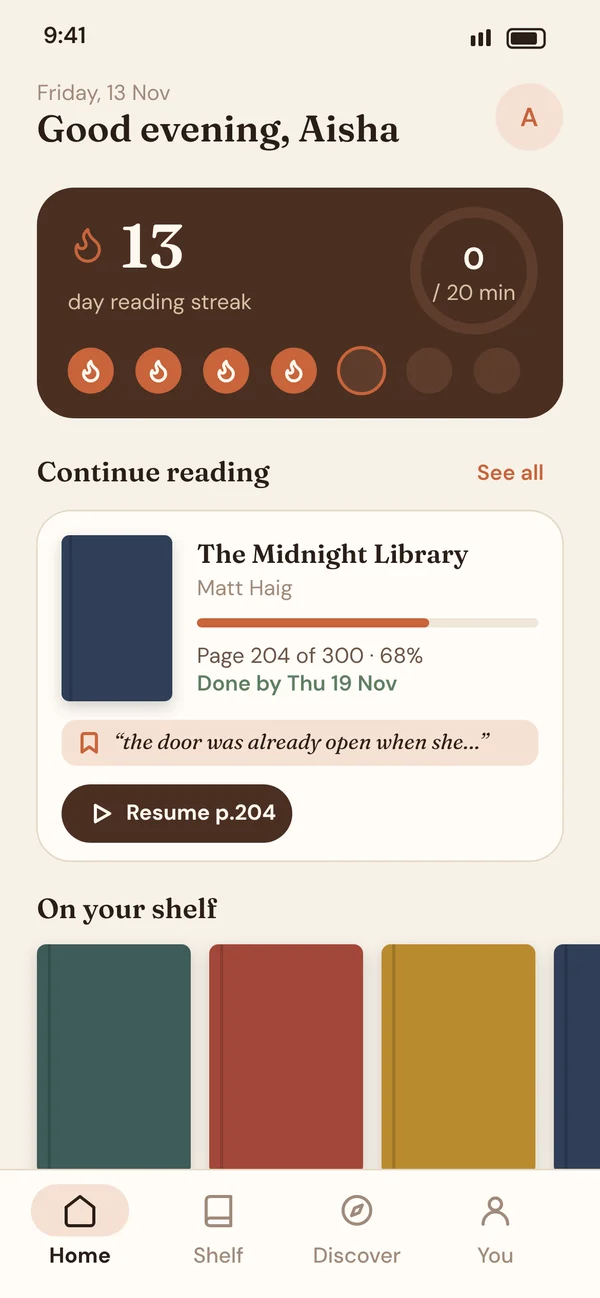
You stopped on page 204.
Two days later… where was it again?

Bookmarks fall out. Screenshots get lost. DearPages doesn't forget.

What's new in DearPages

Everything you need to actually finish books

Rebuilt from the ground up for readers who want a habit that sticks, not another to‑do list.

Never lose your page

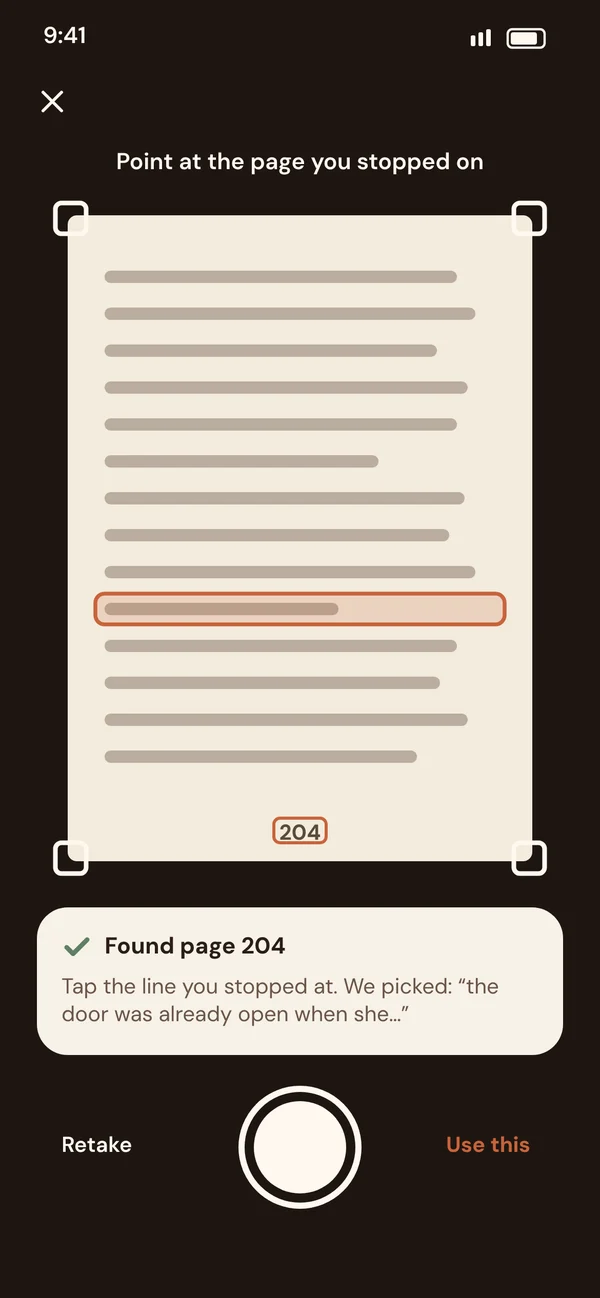
Snap the page. Pick up mid‑sentence.

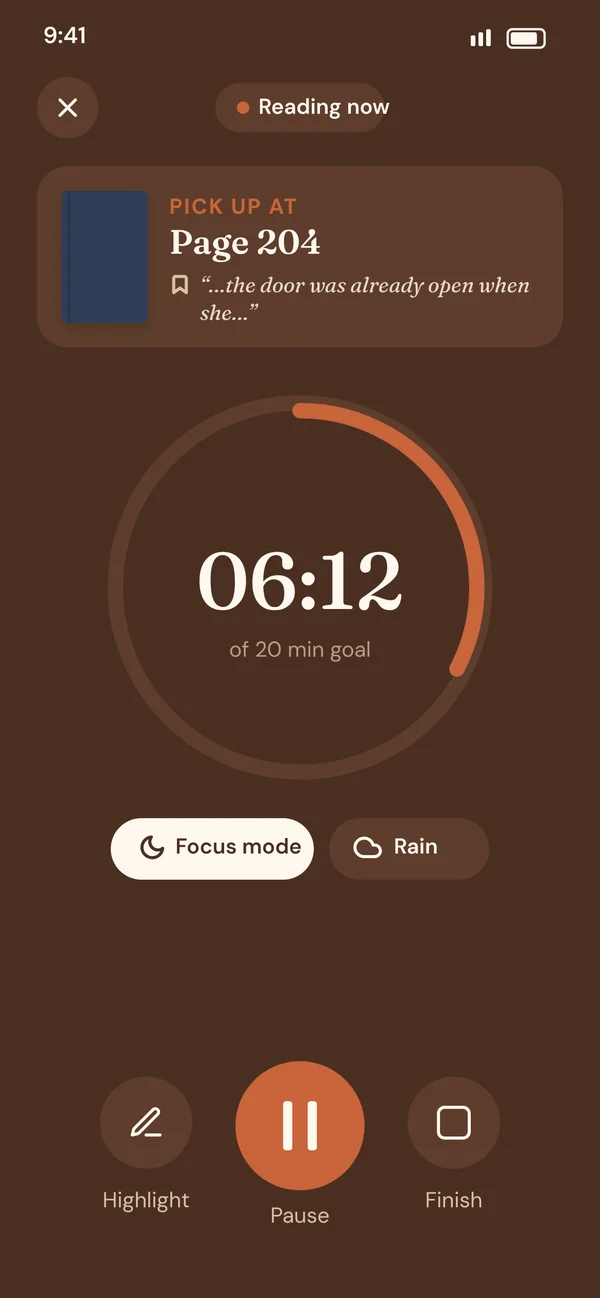
When you finish a session, snap the page you stopped on. DearPages finds the page number and the exact line, then shows it on your home screen next time.

  • Works with any paperback or hardcover
  • Or type the first words of the next line
  • Audiobooks and ebooks: save your spot by time or percent
Snap the page you stopped on
Reading session showing Pick up at page 204
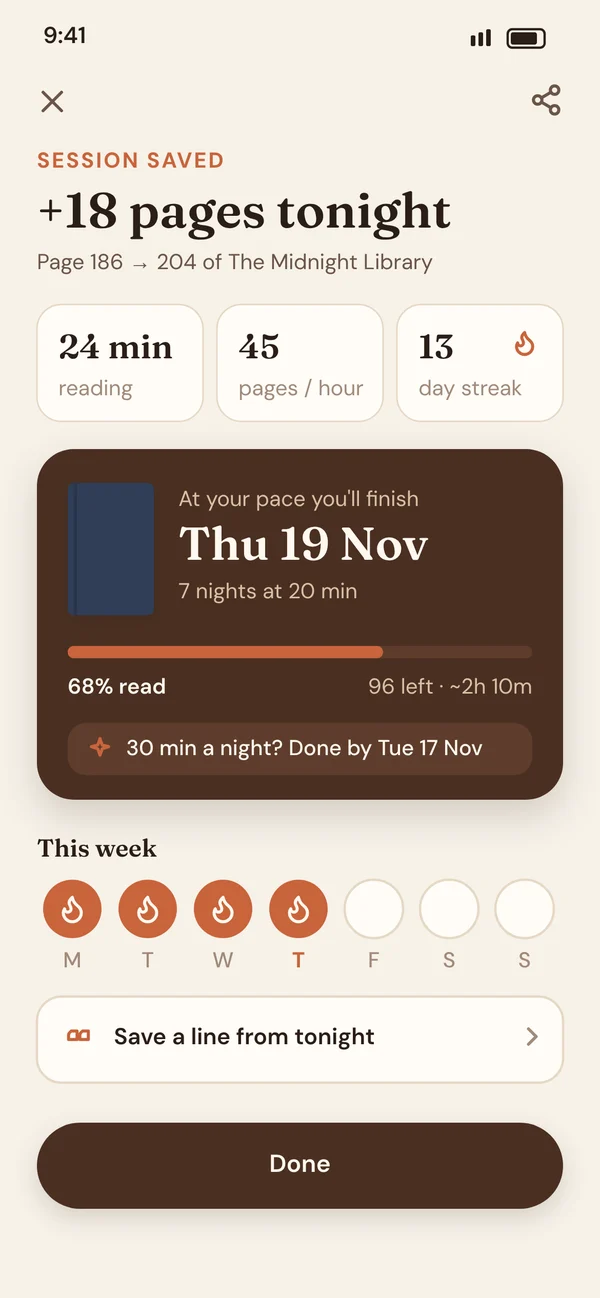
Know when you'll finish

See the exact day you'll turn the last page.

Every session updates your pace, pages left and finish date. Want it sooner? See what 30 minutes a night would do.

  • Calm 20‑minute timer with focus mode
  • Pages per hour, time left, % read
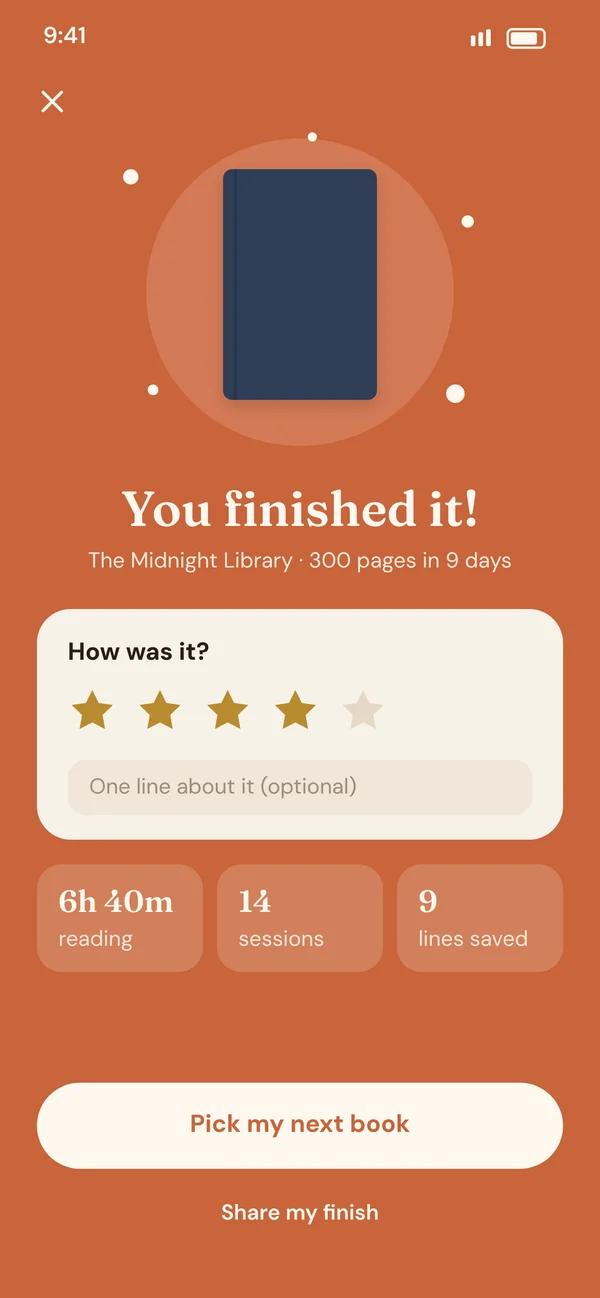
  • A proper celebration when you finish
Session summary with finish date Thursday 19 November
You finished it screen
Keep the lines you love

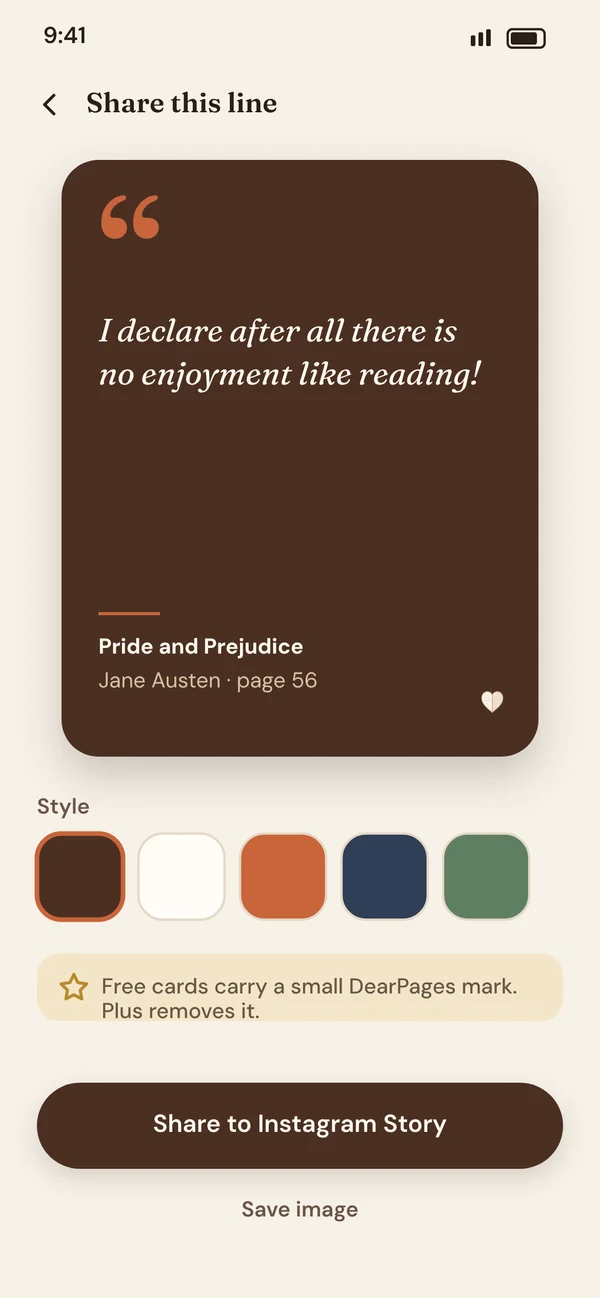
Save a line. Share it beautifully.

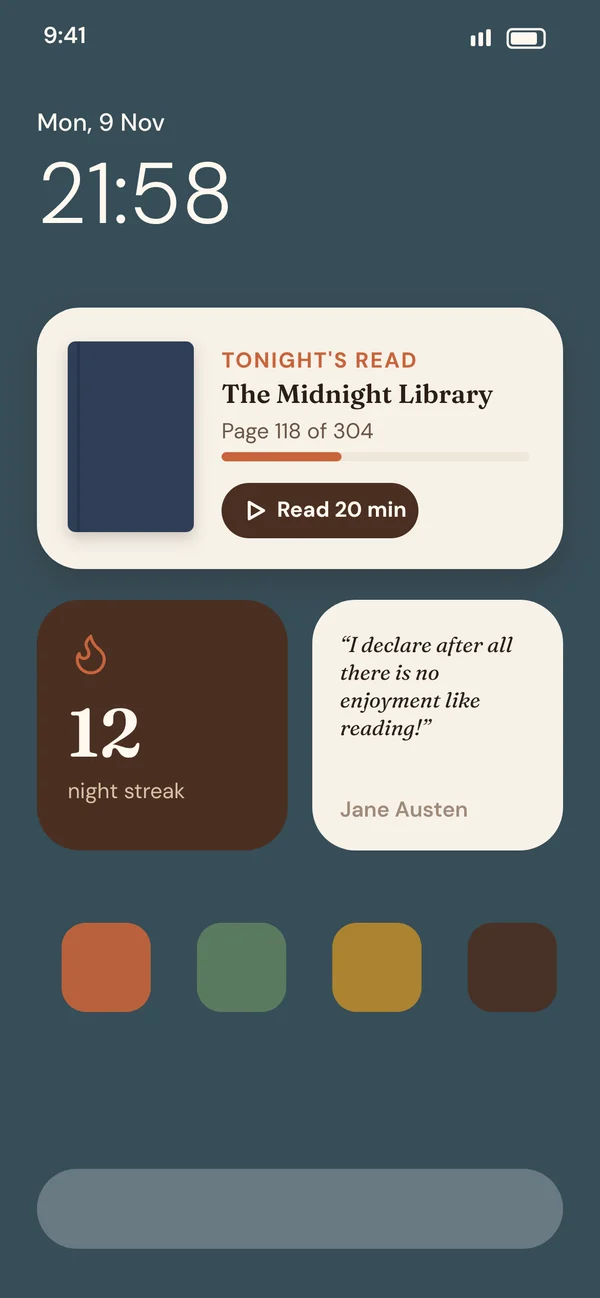
Tap a line on a page you snapped and it's saved for good. Turn it into a quote card for your Instagram Story, or keep it on your home screen.

  • Quote cards in five colours
  • Home‑screen widgets for your book, streak and quotes
Quote card: I declare after all there is no enjoyment like reading
Home screen widgets
🔥

Streaks that forgive

Missed a night? A streak freeze keeps your streak alive, because life happens.

🔔

One quiet reminder

A single nudge at your reading time, skipped automatically if you've already read.

🌙

Your reader profile

Eight quick questions turn into a plan built around when and how you actually read.

📚

Your Year in Books

Books, hours, nights read, lines saved and your longest streak, ready to share.

🎧

Every format

Print, Kindle, Kobo or audiobook. Track by page, percent or listening time.

📶

Works offline

Read and save sessions without a connection. Everything syncs when you're back online.

20

minutes a day

17pages a day
→
6,000pages a year
→
20books

You don't need more time. You need a small, fixed slot.

How it works

Your plan in 2 minutes

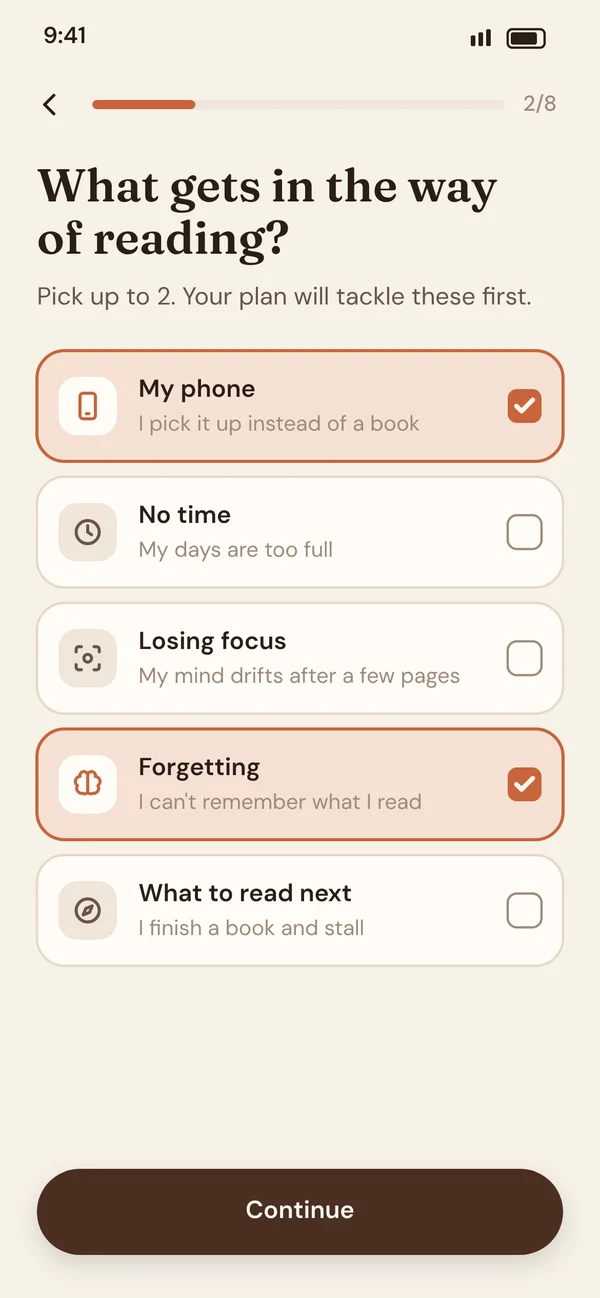
Reading quiz
1

Answer 8 quick questions

When you read, what gets in the way, and the genres you love.

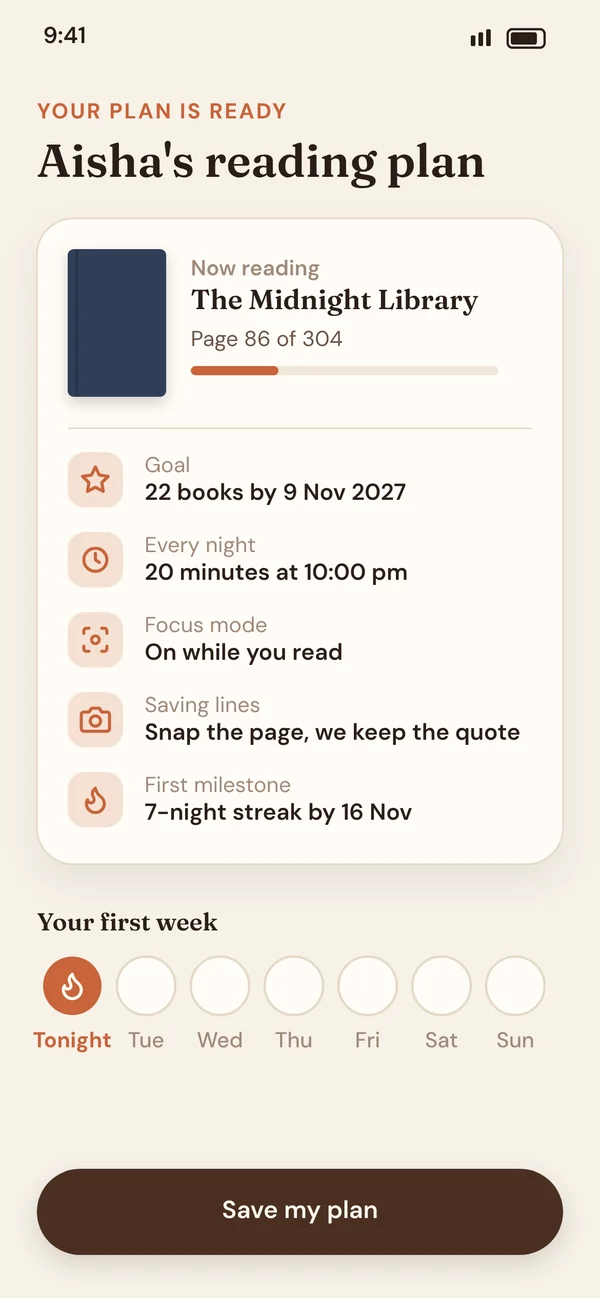
Your reading plan
2

Get your reading plan

A yearly goal, a nightly time slot and your first milestone.

Home screen
3

Read 20 minutes tonight

Start the timer, snap your page, and watch the streak grow.

Free & Plus

Start free. Go Plus when you're hooked.

Free

Everything you need to build the habit
  • Shelf, reading timer and streak
  • Daily reading reminder
  • 3 page scans a month
  • Quote cards (with a small DearPages mark)
  • Basic reading stats

Plus

Monthly, with a 7‑day free trial
  • Unlimited page scans
  • Focus mode
  • Streak freeze (2 a month)
  • Insights and Year in Books
  • Quote card styles without the mark
  • Home‑screen widgets and themes

Price is shown in the app in your local currency. Cancel anytime in Google Play › Subscriptions.

FAQ

Questions, answered

How do I delete my DearPages account and data?

You can delete your account at any time, from the app or by email.

In the app

  1. Open DearPages and tap the You tab (or your profile picture).
  2. Tap Settings.
  3. Scroll down and tap Delete account.
  4. Confirm. Your account is deleted and you're signed out.

By email: if you can't open the app, email developer.zokabolabs@gmail.com from the email you sign in with, with the subject "Delete my account". We'll delete it and reply to confirm.

What gets deleted: your account and profile, your shelf and books, reading sessions, streaks, goals, saved lines and quote cards, page photos and reminder settings. This can't be undone.

What we keep: nothing that identifies you. Deletion is completed within 30 days, except records we're required to keep by law.

Subscribed to Plus? Deleting your account doesn't cancel your Google Play subscription. Cancel it first in Google Play › Payments & subscriptions › Subscriptions.
Is DearPages free?

Yes. The reading timer, streaks, reminders, your shelf and quote cards are free. Plus unlocks unlimited page scans, focus mode, streak freezes, widgets and your Year in Books. It's billed monthly through Google Play, with a 7‑day free trial.

How do I cancel Plus?

Open the Google Play Store, tap your profile picture, then Payments & subscriptions › Subscriptions › DearPages › Cancel. You keep Plus until the end of the period you've paid for. Google Play emails you before a free trial ends.

Is DearPages on iPhone?

DearPages is on Android only right now. If you'd like an iPhone version, email developer.zokabolabs@gmail.com with "iPhone" in the subject. Every request helps us decide what to build next.

Does it work with ebooks and audiobooks?

Yes. Track by page for print books, by percent or location for Kindle and Kobo, and by listening time for audiobooks.

Do I need an account?

You can take the quiz and see your reading plan without one. To save your plan and sync across phones, you sign in with Google.

How do I get help or send feedback?

Email developer.zokabolabs@gmail.com. We read every message.

Your next book starts tonight.

Build your reading plan in 2 minutes. Free to start.

GET IT ONGoogle Play

On iPhone? Join the waitlist